Spark Deep Dive: iFLYTEK's Voice-First Chinese Assistant
What It Is and Who Makes It
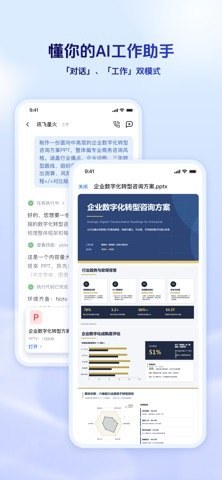
Spark is iFLYTEK's large-model assistant, drawing on the company's years of speech technology work, with a clear emphasis on Chinese voice interaction and education-related scenarios. It comes as a website, an app, and an open platform API for developers.
As of 2026-11-24, the Lumo library lists 2,337 published tools, including 60 in the chat and search category; Spark is one of the few Chinese assistants whose standout feature is voice — an assistant made to listen and speak.
Core Features
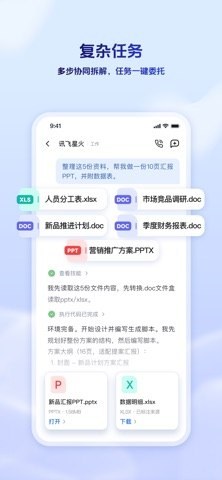
Its core abilities cover the usual conversational work — text generation, knowledge Q&A, math and logical reasoning, and code writing — with voice as the highlight: speech recognition, synthesis, and real-time voice conversation are mature, and spoken interaction feels natural.
It also ships with many scenario-based agents and plugins, such as lesson-plan generation, translation, and resume polishing, plus study-focused features such as homework help and essay feedback, covering several parts of teaching and learning. These agents come preconfigured for their scenarios, so they can be used as-is without writing prompts from scratch.
How It Compares
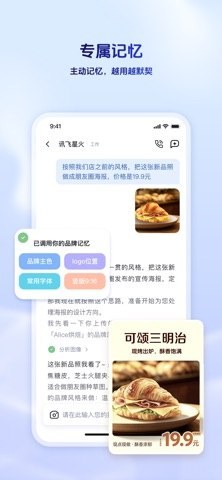
Compared with general chat tools, Spark's distinction is a complete voice pipeline: recognition, synthesis, and live conversation all live in one product, so spoken interaction flows smoothly.
Compared with other Chinese assistants, the difference is scenario focus: its education and office agents form a fuller set, with ready-made entry points for teachers preparing lessons and students practicing speaking; for templated Chinese writing, the gaps between rivals are small, and the choice comes down more to habit.
Who It Fits and Typical Uses
It fits people who prefer voice interaction, and people in education: teachers preparing lessons and exam questions, students checking homework and practicing speaking, and parents helping with schoolwork can all use it.
For office work, meeting transcription, minutes, and official-document drafting also work smoothly, and its grasp of Chinese context and local expression is its home ground. For English-language material or software development, it is not the right choice.
Access and Pricing
On access, Spark is directly available in China, on the web and in the app — register, sign in, and start chatting.
It follows a freemium model: the personal edition's basic features are free, while some advanced abilities and API calls follow paid plans; see the official site for details. Checked on 2026-11-24, the Lumo tool page opened normally and matched the library record.
Tools mentioned
Sources
This article is compiled from the public sources above and does not reproduce the originals in full; see the official sources for details.