Notion vs WPS AI: Knowledge Base Foundation vs. In-Place Office Assistant, How to Choose?

Vendor and Positioning
Notion is a collaborative office tool positioned as a three-in-one platform for notes, documents, and databases: using "blocks" as basic editing units, pages, tables, Kanban boards, and calendars can be freely combined, and AI features have also been built in over recent years. WPS AI is an AI assistant launched by Kingsoft Office, positioned as an in-place assistant living inside WPS: without creating a separate entry point, it embeds AI capabilities directly into WPS Writer, Spreadsheets, Presentation, and PDF.
The difference in positioning directly determines the feel of the two products: Notion is like an archive that can be slowly expanded, where documents, tasks, and databases accumulate in one place; WPS AI is like an assistant sitting next to your desk, ready to use at hand as soon as you open a document. Neither is more comprehensive than the other; it is simply a matter of which fits your daily routine better.
Respective Strengths
Notion's strength lies in structured accumulation: document and note editing, multi-user real-time collaboration, database-style table and Kanban management, and task and project tracking are all on the same platform; Notion AI provides writing polishing, content summarization, property autofill, and cross-page Q&A search. Its template ecosystem is rich, offering ready-to-use templates ranging from meeting minutes and product requirement documents to personal reading notes.
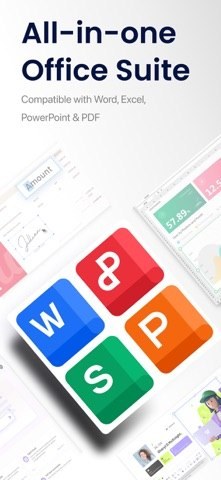
WPS AI's strength lies in in-place processing: drafting, continuing writing, polishing, and formatting in Writer; generating a complete set of PPT slides with one click by entering a topic; writing formulas and conducting data analysis using natural language in Spreadsheets; and summarizing key points and answering questions based on content in long PDFs and documents. These capabilities are invoked in place via the sidebar or right-click menu, and the generated content lands directly in the current document without needing to be copied to another tool and moved back.

Access Methods
In terms of access, both are directly accessible in China without requiring special network configurations. This is their shared advantage and the reason many people make these two their primary entry points. Both offer mobile apps and web versions, so daily use involves no network hassle. Business trips or switching devices do not affect usage either—you can continue working simply by logging into your account.
In contrast, overseas assistants like ChatGPT, Claude, and Grok require special network configurations to use in China and are better suited for specific needs. Choosing directly accessible tools in China as your primary entry point saves trouble, while you can switch to overseas models on demand when their capabilities are needed.
Pricing Model
In terms of pricing, both follow a freemium model for basic use: Notion's personal basic plan is free, while team collaboration and AI features are offered in paid tiers; WPS AI provides some free AI capabilities alongside WPS, with higher usage limits and advanced features unlocked through memberships. Please refer to their official websites for exact pricing.
For ordinary users, pricing is not the dividing line between the two: the free quotas of both are sufficient for daily use. What truly needs to be compared are their strengths and feel, rather than which one is cheaper. Those who are already WPS members can first check which AI usage quotas are included in their tier; Notion users can first see if the free version is enough before deciding whether to pay for AI features.
Who Each Fits
For individuals and teams that need long-term document accumulation, Notion is a better fit: product managers maintaining requirement documents, startup teams building internal knowledge bases, students organizing course notes, and people who are used to structured note-taking and want to manage notes and tasks in one place will adapt well to its organizational style.
For office workers who heavily use WPS on a daily basis, WPS AI feels more natural: administrative staff, finance personnel, teachers, public sector employees, and small-to-medium enterprise staff do not need to migrate their workflows and can use AI simply by opening familiar software. Combining both is also very common: keep your knowledge base in Notion, and process the document right in front of you with WPS AI; since both are directly accessible in China and freemium, once their roles are clear, there is no need to agonize over keeping only one.
Tools mentioned

Sources
This article is compiled from the public sources above and does not reproduce the originals in full; see the official sources for details.