Multi-Model Parallel Comparison Workflow: Practical Guide to Sending the Same Task to Three Models and Comparing Side by Side Before Finalizing
1. What You Need to Prepare
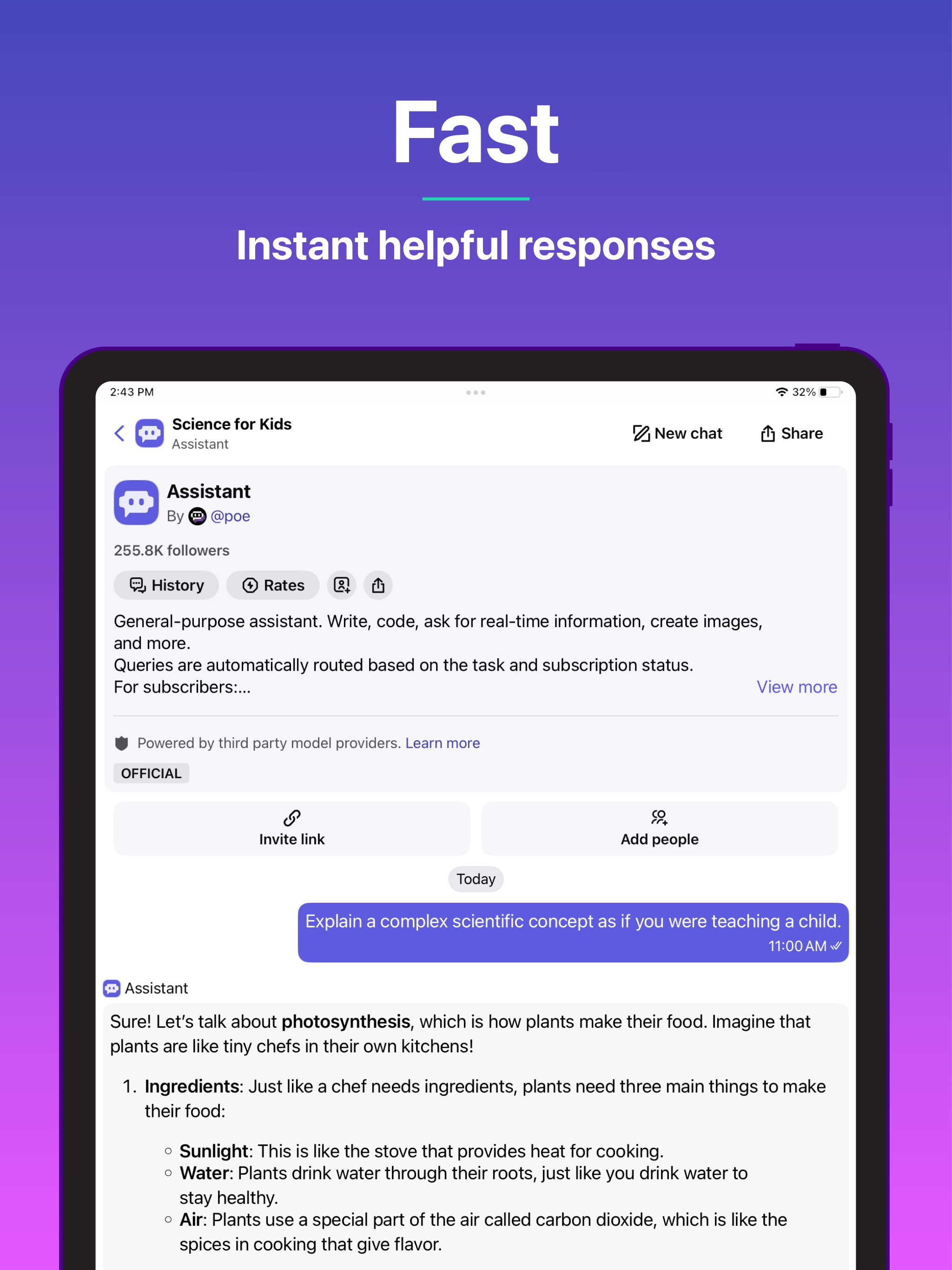
Prepare three things. First, choose one of two multi-model entry points: Poe is Quora's multi-model chat platform, where a single account lets you chat with multiple models and custom bots; OpenRouter is a unified large-model API aggregation platform that lets you call hundreds of models and route by usage through a single interface. If you only want to compare answers in a chat interface, choose Poe; if you want to script comparisons and run them in batches, choose OpenRouter.
Second, the exact same prompt: fairness is the premise of comparison, so the prompt must be sent to each model word for word without changes. State the task, output format, and constraints clearly in the prompt—for example, "Explain this to a ten-year-old child in three sentences, then give a small experiment that can be done at home"—specifying the task, format, and constraints all at once. Third, a comparison checklist: whether the facts are accurate, whether the content is complete, and whether the tone is appropriate. Fix these three items and score each model against the same checklist.
Check points and usage beforehand: Poe bills using compute points, and different models consume different amounts of points per message, with limited free points subject to the official website; OpenRouter bills by usage, and heavy reasoning models cost more. Confirm your quota before comparing so you do not run out halfway through.
2. The Poe Route: Querying Multiple Models at Once in One Conversation
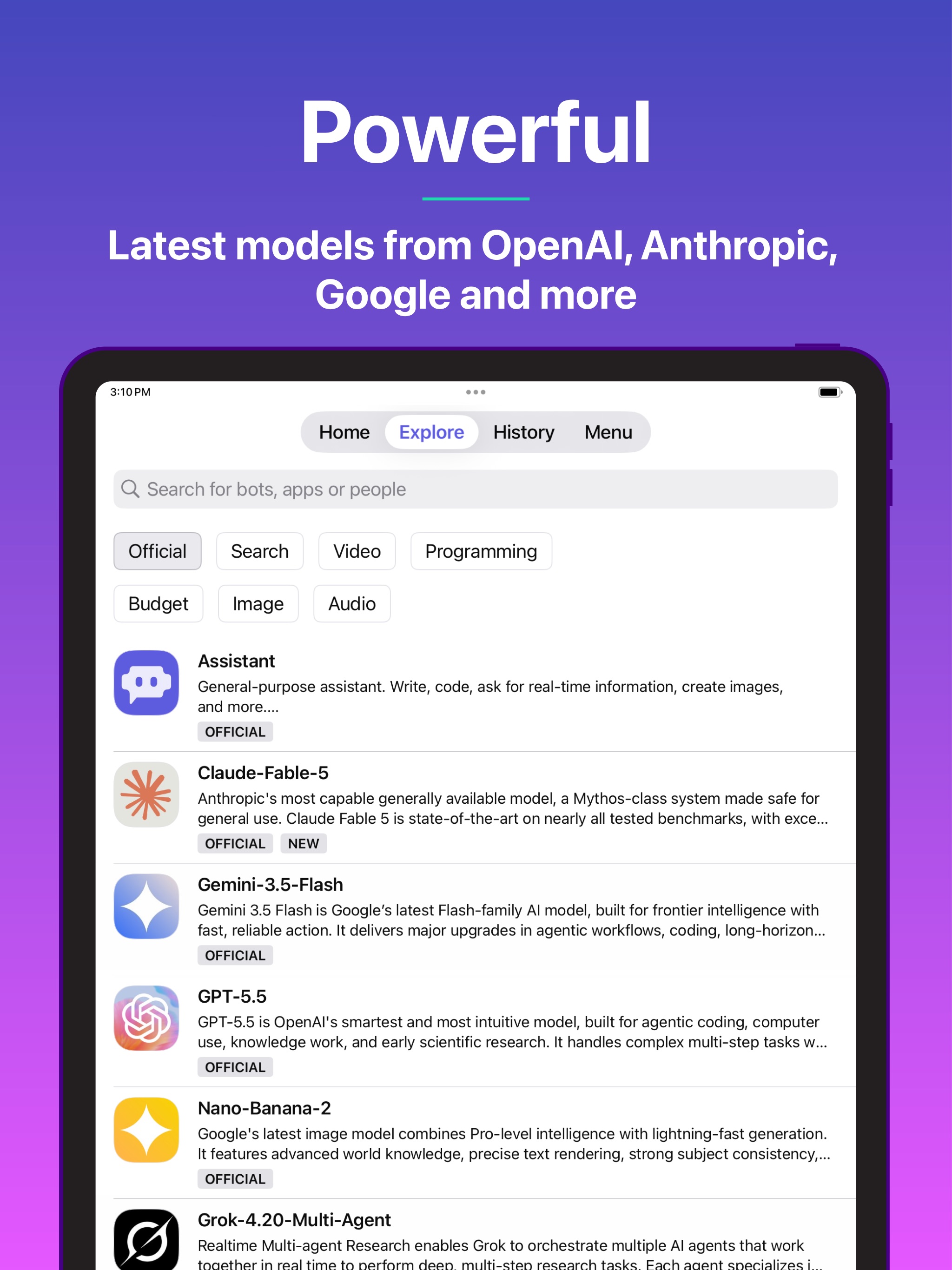
The Poe approach uses multi-model chat or group chat features to query multiple models simultaneously in the same conversation. Start a multi-model chat or group chat, add the models you want to compare, and mention 2–3 models using @ in the same message—for example, mentioning Claude, GPT, and Grok together—and they will each reply within the same conversation.
Pay attention to two points when comparing. First, start a fresh conversation before comparing: each model needs to reply in a brand-new conversation, as previous messages will influence responses, and a fair comparison requires starting from a clean context. Second, look at disagreements first, then merits: wherever the three answers diverge is where manual verification is needed; mark the points of divergence first before deciding which version is more trustworthy.
Poe's free tier is suitable for lightweight comparisons: heavy reasoning models consume points quickly, and if you run low, top up following the official website's process. After comparing, pick one answer to finalize and keep the remaining responses as verification material rather than stitching them together directly—an article pieced together from three models will have mismatched tone and factual framing.
3. The OpenRouter Route: Batch Comparisons via a Single Interface
The OpenRouter approach calls hundreds of models through a single interface and is suitable for batch comparisons. First, obtain an API key from the official website, then get a single call working by following the quickstart in the official documentation. Once it works, send the exact same prompt separately to 2–3 models and save their responses side by side for comparison. If you want to write comparisons into scripts and run a batch of tasks on a fixed daily schedule, this route is more suitable.
The key to batch comparison is controlling variables: use the exact same prompt, the same temperature parameter, and run them on the same day, recording each model's response and elapsed time separately. Record everything in a simple table: task, model, key response points, points of divergence, and final choice. Over multiple runs, this table becomes your own model selection handbook, giving you documented evidence of which model writes steady copy, which checks facts accurately, and which writes code with fewer bugs.
OpenRouter bills usage per call, and heavy reasoning models cost more; test the per-call cost on a small task before running batch comparisons. Do not hardcode API keys into public code or chat logs.
4. How to Compare, How to Finalize, and Common Sticking Points
The comparison checklist has three fixed items: whether the facts are accurate—check if there are discrepancies in numbers, dates, or names, and flag any inconsistencies among the three models for manual verification; whether the content is complete—check if any key points required by the task were missed; and whether the tone is appropriate—explanations for children should be simple, while materials for clients should be formal.
To finalize, pick one as the primary draft and use the others for verification: choose the response with accurate facts and a clear structure as your base draft, fill in any missed points using the other two responses, and then manually read through the entire final version. Do not stitch all three together into one piece, and do not rely solely on majority vote—when all three models are wrong, following the majority will also be wrong, so factual content must ultimately be verified against authoritative sources.
There are three common sticking points. First, misaligned prompts: send the exact same prompt to every model without changing a single word. Second, context contamination: run comparisons in brand-new conversations, because comparing with message history present causes answers to influence one another. Third, treating comparison as a guarantee: multi-model comparison lowers the probability of errors, but it cannot guarantee correctness, and key facts still require manual verification.
The steps in this article were verified against official pages on 2026-11-11; if platform rules change, refer to the official sources.
Tools mentioned

Sources
This article is compiled from the public sources above and does not reproduce the originals in full; see the official sources for details.