Automating Meeting Notes with AI: From Recording and Transcription to Sharing Minutes
The Short Answer: Who This Is For
The short answer: automating meeting notes is not about handing a recording to AI and walking away. It is a three-stage pipeline: record and transcribe to get a draft, proofread and refine it into minutes, then share and archive it so action items land with owners. Tools handle transcription and the first draft; people check the facts, confirm decisions, and follow up on action items. That is how minutes become something people actually act on.
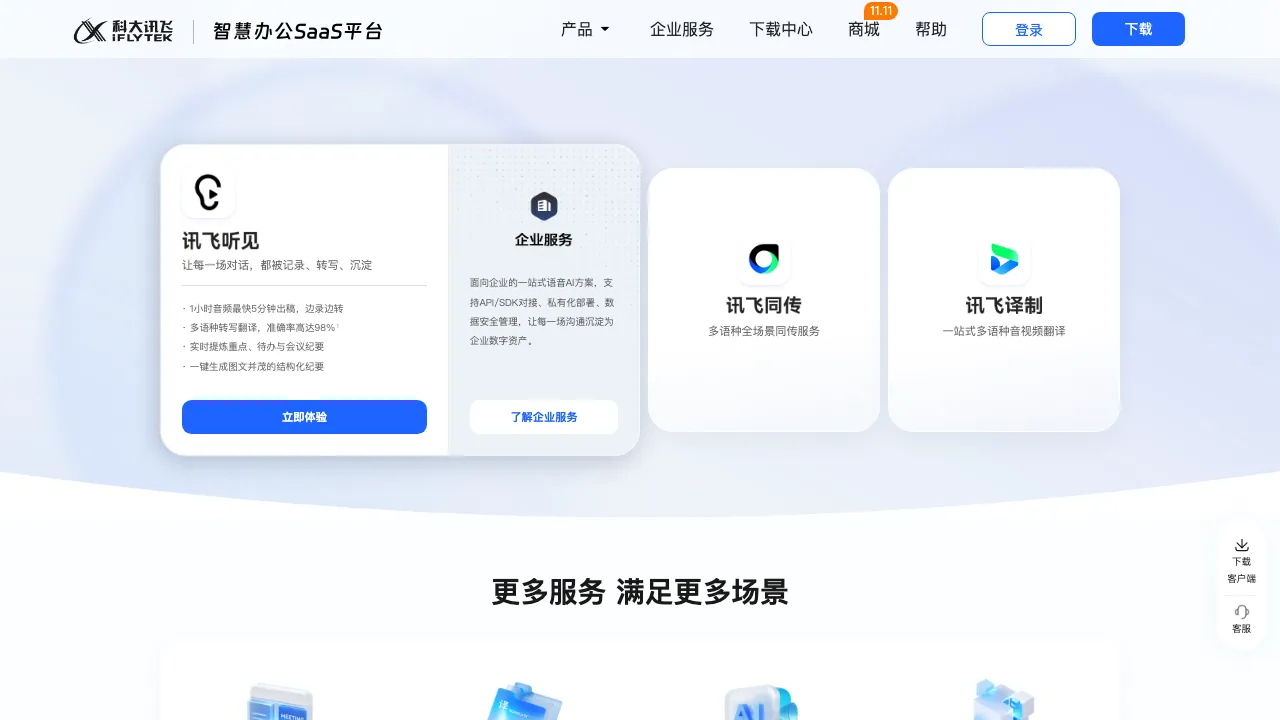
It suits people who attend meetings on a regular schedule and need minutes afterward: project managers, team leads, operations and admin staff, and anyone following up on action items across teams. The main route uses iFLYTEK Listen or Tongyi Tingwu, both of which open directly in China. If you often hold meetings in English or work with teams abroad, add Granola as a second route. If the notes are only for yourself and will not be shared, you can stop after the refining stage.
What You Need
Prepare three things: a device that can record — recording on a phone app that transcribes as it records is the easiest option; an iFLYTEK Listen or Tongyi Tingwu account, both of which open directly in China; and a channel for sharing the minutes, such as a work chat group, email, or a shared document. For the Granola route, add a Granola account; its official site offers a free download, and you connect it to your calendar before the meeting.
Before you start, confirm two things: whether this meeting may be recorded. For internal discussions or anything sensitive, get the participants' agreement before recording, and decide afterward who receives the minutes. Second, prepare a list of participants and an agenda, with names, project names, and key terms written out, so proofreading the transcript against it catches far fewer errors.

Step by Step
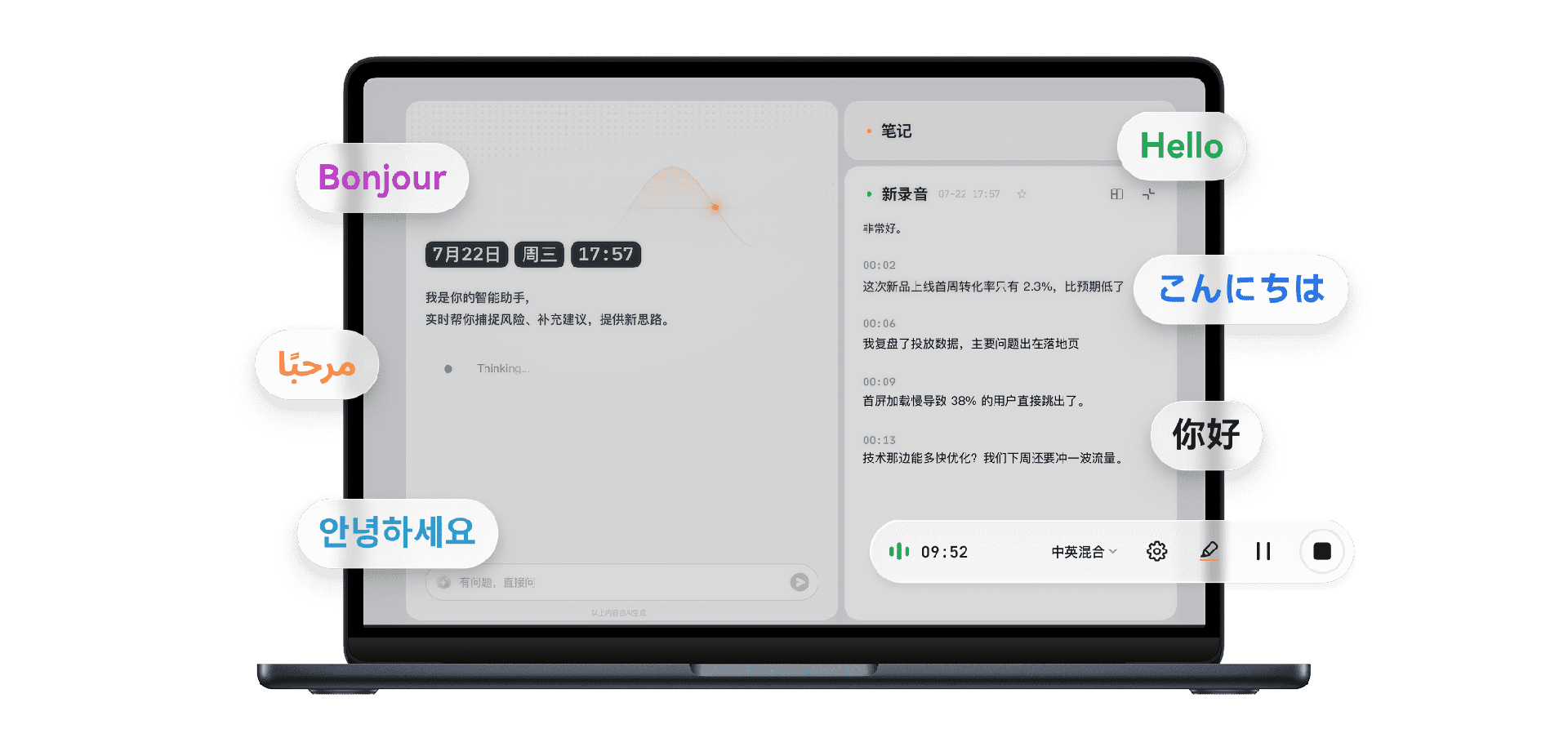
Get the draft transcript first. Open the iFLYTEK Listen phone app and start recording; it transcribes as it records. You can also import an existing recording afterward. According to its official site, one hour of audio can be turned into a draft in as little as 5 minutes, and multilingual transcription and translation can reach 98% accuracy. For online meetings, save the audio with the meeting software's built-in recording feature first, then import it for transcription. After transcription, read through the text and check names, place names, numbers, and technical terms.
Then refine it into minutes. Use iFLYTEK Listen's real-time extraction to pull out key points, to-do items, and meeting minutes, then rewrite them into four columns: decisions, action items, owners, and deadlines. Tongyi Tingwu works in a similar way: it generates a chapter overview and to-do items from the meeting, and its official site notes that a two-hour meeting can be written up in 5 minutes. Each action item should cover one task only, and it must name an owner and a deadline.
For meetings in English, use Granola. Granola does not send a bot into the meeting; it transcribes in the background and works with Zoom, Meet, Teams, and in-person meetings. Notes are private to you by default and are shared with participants only when you choose to. Its free plan does not limit the number of meeting notes, and upgrading unlocks notes older than 30 days. Before the meeting, tap the meeting in your calendar to record it, then open the note afterward to rewrite it.
Finally, share and archive. Send the minutes to the agreed group or by email, sync the action items into your task tool, and note when each will be followed up. Store the transcript and the minutes together in your document library, filed by project and date, so the next meeting on the same topic can start by checking the previous action items. Once this flow runs end to end, recordings stop sitting forgotten on a phone, and action items are taken care of.

Common Problems and Fixes
Problem one: names and technical terms come out badly wrong in the transcript. Spoken language is messy and names can be unfamiliar, so errors are inevitable. Fix them against the participant list right after transcription, before moving on — do not carry errors into the minutes. Problem two: several people talking at once makes it hard to tell who said what. Let each person finish before the next speaks, ask speakers to say their name first, and place the recording device close to whoever is speaking.
Problem three: the minutes read like a running log with no decisions. That happens when you transcribe but never refine. Before rewriting, settle three questions: what was decided, who owns what, and when is it due — then organize the content around those answers. Problem four: a long meeting cannot be transcribed in one pass. Split meetings over an hour into segments by agenda item, and keep the same segmentation in the minutes.
Things to Watch Out For
Privacy and compliance first: only record meetings where participants have been told, and never send recordings or minutes from sensitive internal meetings to public channels. Remove anything involving personal privacy before sharing. The free allowances and paid tiers of iFLYTEK Listen and Tongyi Tingwu are as stated on their official websites; when you need more allowance, upgrade through the official site and do not buy accounts or allowance through unofficial channels.
These steps were checked against the official pages on November 20, 2026. If platform rules change, the official pages are the reference.
Tools mentioned


Sources
This article is compiled from the public sources above and does not reproduce the originals in full; see the official sources for details.