Google AI Studio Deep Dive: Google's Testing Ground for Gemini Models
Positioning: Try It Thoroughly First, Then Decide Whether to Connect the API
Google AI Studio is Google's testing ground for Gemini models, aimed at developers, at aistudio.google.com. Our library places it in the coding category, with the tags API, Gemini, and debugging, and its description says it lets you try Gemini models for free and quickly validate prompts and ideas. Its role is the validation step: try the model and the prompt thoroughly in the browser before deciding whether to connect the API formally, rather than writing code and setting up an environment first.
As of November 20, 2026, Lumo Hub had published 2,140 tools, including 791 in the platform category; 50 more were added on November 20. Among developer tools, AI Studio's position is clear: it does not write complete applications for developers or deliver finished products, but provides a low-cost sandbox for trial and error, so that validation happens before formal investment.

Core Features: Tune the Model, Tune the Prompt, Then Export the Code
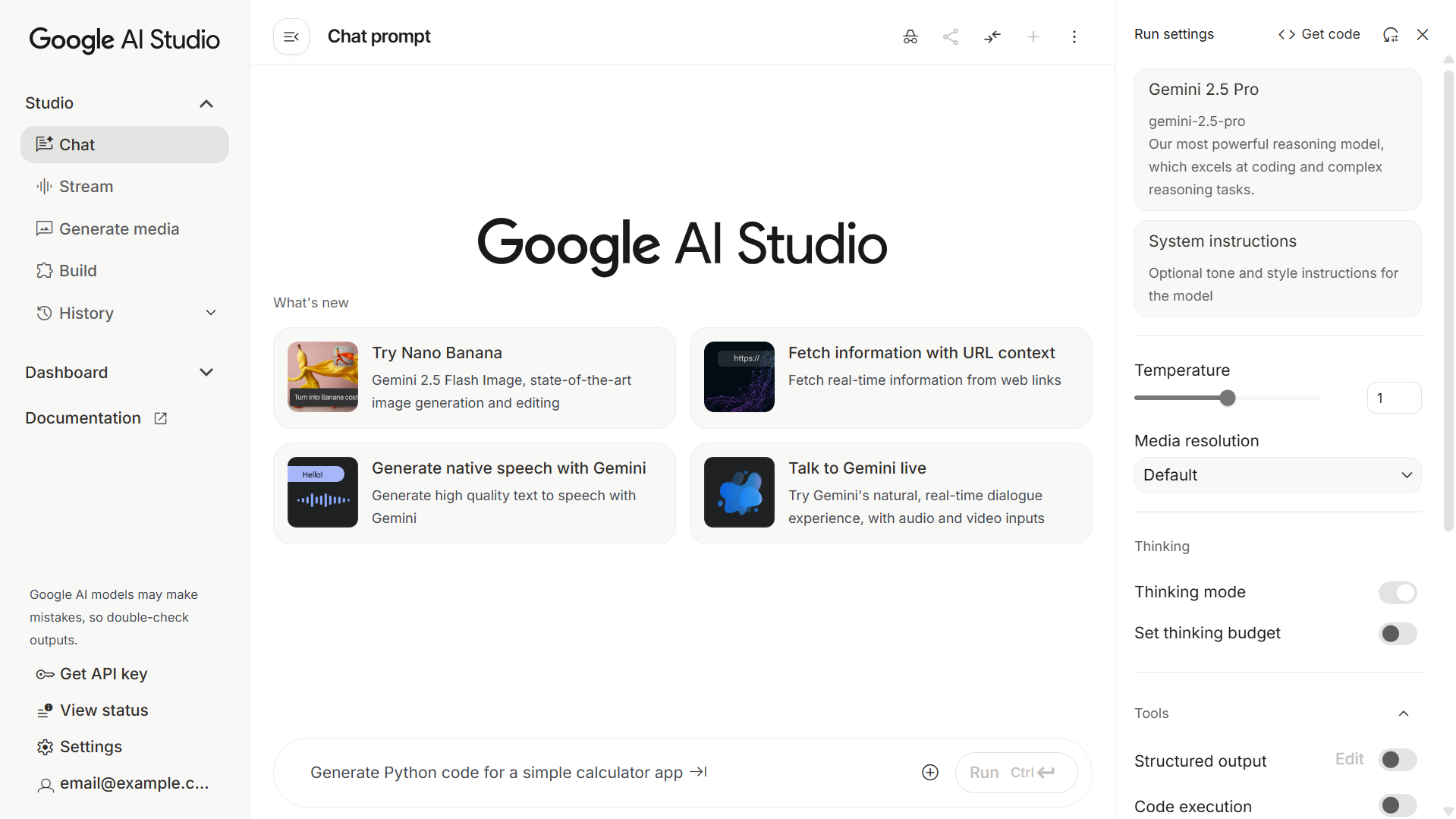
At its core is calling Gemini models online, covering text, image, audio, and video understanding. Temperature, output length, and other parameters can be adjusted to compare generation results under different settings; structured output and function calling can be tested, and system instructions can set the model's role. The official documentation also lists entries such as chat prompts, realtime streaming, and video generation, and the Run settings panel allows adjusting model parameters, safety settings, and tool switches, so changing one parameter and clicking run shows the result right away.
Once the setup works as intended, one click copies the calling code in languages such as Python and JavaScript, and an API key can be generated to connect the application: going from testing a prompt to having runnable code requires no local environment setup in between. For teams still choosing a model, this keeps validation costs low: get the idea working in Studio first, confirm the model behaves as expected, and only then write the formal code to connect it.
Compared with Two Alternatives: A Validation Layer in Between
Compared with using Gemini directly in a chat product, AI Studio adds parameters, system instructions, and tool switches, showing the model's behavior itself rather than a packaged chat experience: switching models or changing one line of system instructions makes the difference in results visible at once, which suits controlled experiments. Compared with writing code straight from the API documentation, it removes the step of setting up an environment first, so testing an idea does not require writing a pile of connection code.
Two things are worth noting: the free allowance only covers trying things inside Studio and a limited range of API calls, and usage beyond the free allowance is billed by API usage, so check the billing terms before scaling up; model output still needs human review, and key conclusions should not be copied straight into production code. Treating it as a sandbox for selection and validation, rather than a final delivery environment, keeps it used as intended.
Who It Suits: People Who Validate Before Connecting to Gemini
It suits developers preparing to connect to Gemini for early validation, as well as product managers and engineers in charge of model selection: try the model's performance, prompt wording, and call costs here at low cost first, and then decide whether to use its API formally. Individual developers testing a small idea can also run a few rounds in the browser first to confirm the approach works, before deciding whether to write code and set up a service for it.
For access, use in China requires special network conditions, and our library records cnAccess as restricted. It uses a freemium model: trying things inside Studio and a limited range of API calls are free, and usage beyond the free allowance is billed by API usage; the exact allowance and prices are as stated on the official website.
Tools mentioned

Sources
This article is compiled from the public sources above and does not reproduce the originals in full; see the official sources for details.