Adobe Firefly Deep Dive: Generative AI Built Inside Photoshop, with Commercial Compliance as Its Trump Card
Positioning and Publisher
Firefly's positioning is clear: it is Adobe's generative AI—not a standalone image-generation website, but a set of creative capabilities built right into Adobe software. While the web version can be used independently, its home ground is inside Photoshop and Illustrator: you invoke it naturally during your retouching and revision workflow rather than opening a separate tool just for it.
The key to understanding Firefly is distinguishing it from general-purpose image generators: general-purpose tools compete on image output quality and style, whereas Firefly competes on whether assets can go directly into commercial delivery. It emphasizes commercial compliance for generated content, which matters more to teams handling commercial projects than having one more visual style—only when images can be used with confidence does efficiency become meaningful.
Core Features
Its core features fall into several scenario-based areas. Text-to-image serves as the entry point, generating illustrations and photo-style images from descriptions; Generative Fill allows you to expand images, replace backgrounds, and add or remove visual elements inside Photoshop without hunting for stock assets to composite; inside Illustrator, it can generate vector graphics and recolor them, allowing brand visual color adjustments directly at the vector level.
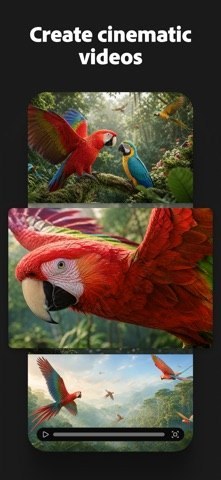
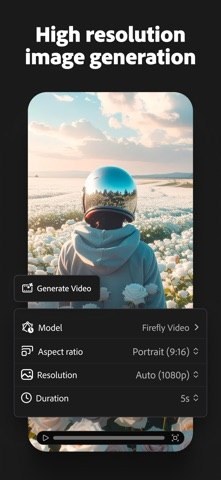
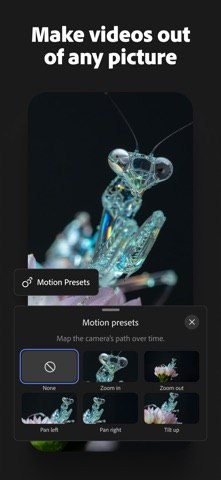
Text Effects is another signature feature, turning typography into three-dimensional textured styles so poster headlines no longer require searching for pre-made font effects. In addition, it has recently expanded into video generation, extending Adobe's generative capabilities from still frames to motion. While the feature list is not the longest, every item maps closely to real actions inside Adobe software—expanding canvases, swapping backgrounds, and adjusting colors are tasks designers perform every day.
How It Compares to Similar Tools
Compared with similar tools, Firefly's defining trait is being embedded into the workflow. Within the same image category in the Lumo repository, Jimeng is an all-in-one AI image and video creation platform from the CapCut team with direct domestic access, combining image and video in one place and suiting creators who primarily use Chinese prompts for quick image generation; Midjourney serves as a benchmark for texture and visual quality in text-to-image generation, making it suitable for generating draft batches first and then selecting directions to refine.
Firefly's strengths lie not in Chinese prompt handling or generation speed, but in two areas: first, its trump card of commercial compliance, removing a layer of concern during commercial project delivery; second, its seamless integration with Photoshop, allowing generation, retouching, and delivery to happen within a single workflow. LiblibAI and SeaArt follow the domestic model-community route with extensive models and varied workflows, suiting creators who want to build their own styles; Firefly, by contrast, is built for people already working inside the Adobe ecosystem. When choosing a tool, look first at where you work: if you are already in Photoshop, using Firefly is effortless; if you are not yet in the Adobe ecosystem, compare image styles and pricing first.
Target Audience and Typical Scenarios
It is well suited for designers as well as brand and advertising professionals: when handling commercial projects such as e-commerce photo retouching, advertising key visuals, and poster backgrounds, its licensing compliance and seamless integration with Photoshop save effort. Common use cases include e-commerce teams batch-retouching product photos, advertising agencies rapidly producing key visual proposals, and brands extending backgrounds for poster series.
The typical workflow is generating on the fly while retouching: select an area in Photoshop, describe what you want, and Generative Fill fills it in directly; replacing backgrounds, expanding canvases, or adding and removing elements can all be done without leaving the editing interface. Scenarios where it is less suitable are equally clear: if you simply want to generate a few stylized images quickly for social media, tools with direct domestic access like Jimeng are faster to pick up; if you are pursuing an extreme aesthetic in a specific art style, dedicated image-generation tools like Midjourney are more appropriate.
Access and Pricing
In terms of access, Firefly's availability is subject to the official website; some services require logging in with an Adobe account, so check beforehand. Pricing follows a freemium model: a small amount of free generation credits is provided, while additional credits and advanced features are included with a Creative Cloud subscription, subject to the official website. When evaluating the tool, use the free credits first to test two things: whether the generated style fits your project's taste, and whether invoking it inside Photoshop feels smooth; decide whether to subscribe after confirming both.
Tools mentioned
Sources
This article is compiled from the public sources above and does not reproduce the originals in full; see the official sources for details.