Dify Deep Dive: An Open-Source AI Application Development Platform Turning LLMs into Usable Products
Positioning and Creator
Dify occupies a very specific niche: neither a chat portal nor a general-purpose agent, but a development platform for "turning LLMs into applications." Its creator, the LangGenius team, has maintained it along an open-source path with public code and self-hosting capabilities, which is where its reputation in the developer community comes from.
The key to understanding Dify is distinguishing it from a chat assistant: a chat assistant answers questions, whereas Dify helps you package that question-answering capability into a deliverable—a web app, an API, or a module embedded into existing systems. When teams want to apply AI to business workflows, what they lack is often not the model itself, but this packaging layer.

Core Features
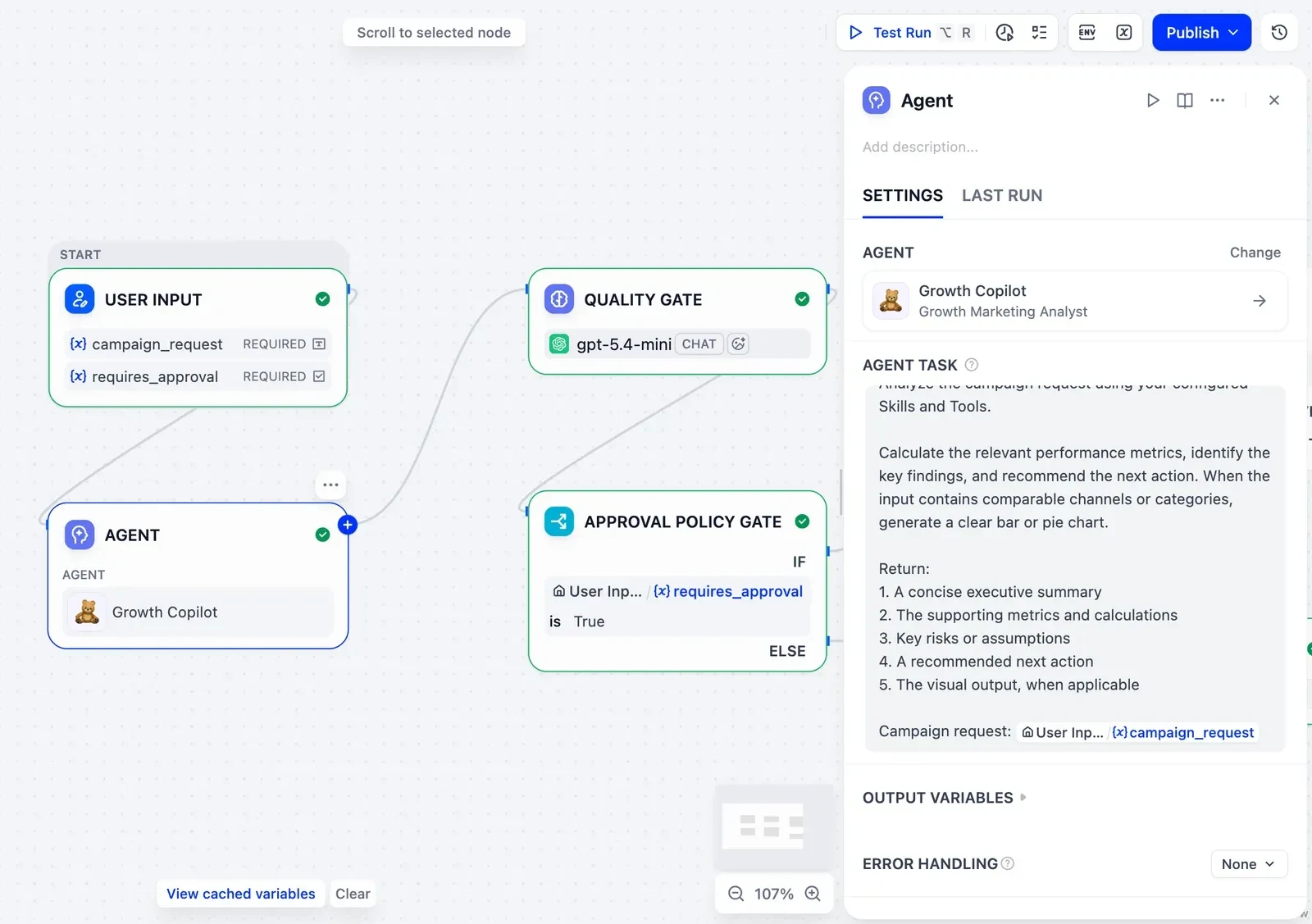
Its core features fall into five areas. First is visual workflow orchestration: drag and drop nodes to assemble multi-step AI pipelines and agents without writing orchestration code from scratch. Second is knowledge bases and RAG: chunk and index documents so models can answer based on private data, fitting internal enterprise Q&A.
Third is multi-model integration: connect, manage, and switch across mainstream models in one place without rewriting the application when changing models. Fourth is flexible app publishing: generate web pages, expose APIs, or embed into existing systems depending on business delivery needs. Fifth is logging and observability: continuously monitor invocation logs and tune prompts and retrieval performance after launch, rather than losing visibility once deployed.

How It Differs from Similar Tools
Compared with similar tools, Dify stands out for its end-to-end focus on "LLM applications." Coze, also in Lumo's agent category, likewise offers no-code building but leans toward lightweight chatbots, with one-click publishing across platforms as its strength; n8n is a general-purpose workflow automation platform connecting hundreds of services via nodes, capable of building AI agent workflows as well, though its focus lies in service orchestration rather than LLM applications themselves.
Manus takes a different path: it is itself a general-purpose agent capable of autonomously planning and completing complex tasks—you hand it a task and wait for the result. Dify does not do the work for you; it gives you a toolkit to build applications. For internal knowledge Q&A, customer service bots, or document processing pipelines, Dify's workflow plus RAG plus publishing forms a complete chain; if you just want to quickly build a chatbot and publish it to platforms, Coze is lighter; if you need to wire together hundreds of services for automation, n8n fits better.
Target Audience and Typical Scenarios
It is well suited for teams and developers looking to bring AI into business workflows: for building internal enterprise knowledge Q&A, customer support bots, or document processing pipelines, Dify's workflows and knowledge bases provide a ready-made framework. Product managers and operations staff with little or no coding experience can also build prototypes to validate ideas before committing engineering resources.
Data-sensitive enterprises can choose the self-hosted edition to run on an intranet so neither documents nor conversations leave their own servers. Individual developers can use it to quickly turn an idea into an accessible web app for early users. Conversely, if your need is only one-off Q&A without turning it into a persistent application, a chat assistant alone is sufficient without adopting a platform.
Access and Pricing
In terms of access, Dify's official website is directly accessible in China, and the cloud service edition works out of the box; the self-hosted edition runs entirely on your own servers with access controlled by you. Pricing follows a freemium model: the open-source edition is free to self-host, while the cloud edition is tiered by usage and features—check the official website for exact details. Decide first whether you need self-hosting: choose open-source self-deployment to keep data on your intranet, or the cloud edition for convenience—both paths live on the same platform without switching tools.
Tools mentioned

Sources
This article is compiled from the public sources above and does not reproduce the originals in full; see the official sources for details.