DeepL Deep Dive: A Translation Tool Known for Natural-Sounding Text — How to Use It for Writing English and Reading Foreign Texts
Positioning and Maker
DeepL is a machine translation service from DeepL SE, a German company, at deepl.com. Our library places it in the writing category, with the tags translation and multilingual, and its description says it is known for natural-sounding translations. It offers web, desktop, and mobile versions plus a developer API, and its position is quality first: get the translation reading smoothly and naturally before talking about coverage and extra features.
As of November 21, 2026, Lumo Hub had published 2,190 tools, including 96 in the writing category; 50 more were added on November 21. Among those 96 writing tools, DeepL is one of the few whose main business is translation itself: while most similar tools start with writing, notes, or document management, it starts with the quality of the translation.
Core Features
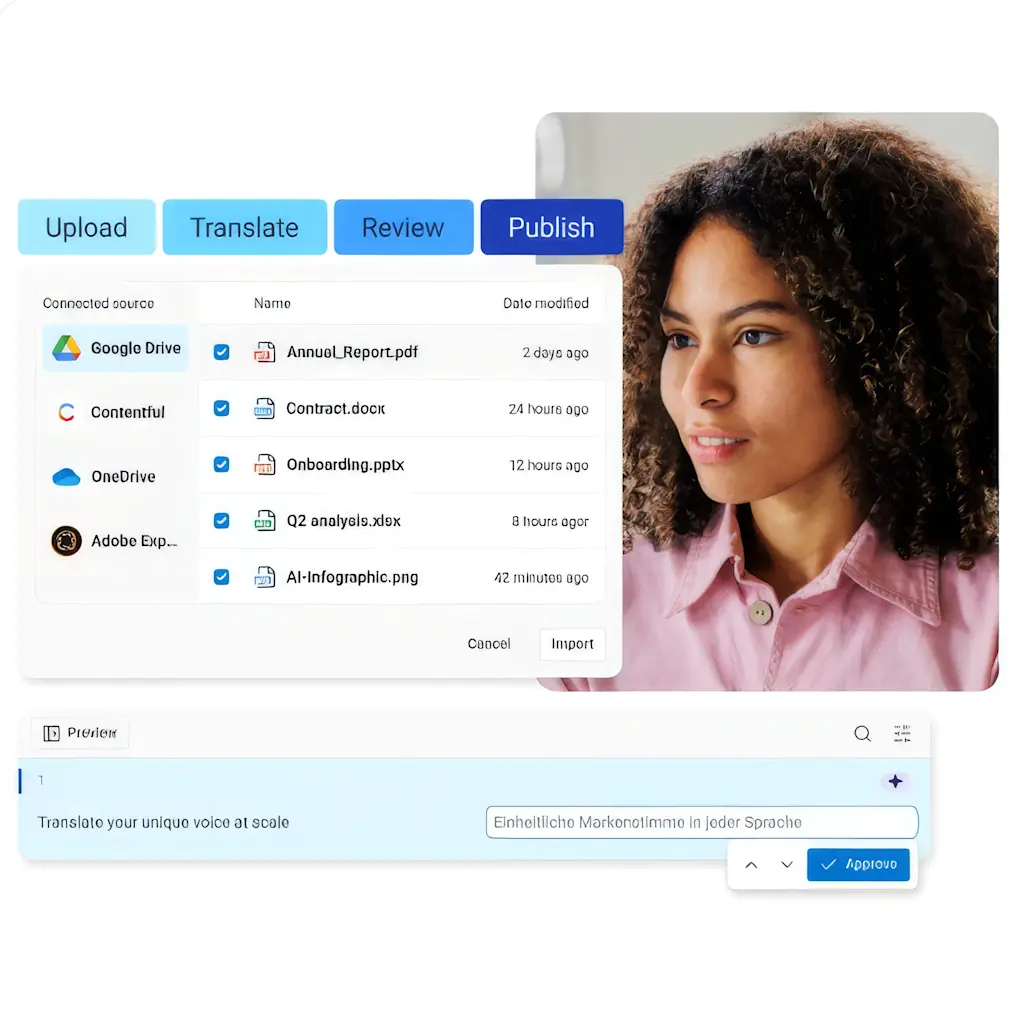
Its core feature is multilingual text translation: paste a whole passage to translate it with attention to tone and style, and click a word in the result to swap in a synonym and fine-tune the wording. Document translation accepts uploads of Word, PDF, and PPT files and returns the translation with the layout kept intact, while the glossary feature fixes the translation of proper nouns and brand terms, so terminology stays consistent across batch document translation.
There is also DeepL Write, a writing assistant that corrects grammar and polishes wording in English, German, and other languages. The developer API lets translation be connected into your own products and workflows: translate a passage by hand on the web, or embed translation into a business system through the API, with the same translation quality serving both uses.
How It Compares with Similar Tools
Compared with general-purpose translation tools, DeepL differs in how its translations feel: given the same passage, its result reads closer to human writing, with tone and style handled in more detail. The glossary and synonym swapping are another distinguishing feature: the translation of proper nouns and brand terms can be fixed in advance, and awkward wording can be swapped with a click instead of retranslating the whole passage.
One thing to note is that no matter how natural it reads, it is still machine translation: key contracts, press releases, and academic citations still need human proofreading, and a glossary only pays off after time is spent building it. It works well as an assistant for first drafts and proofreading: let it produce a smooth first draft, then have a person finalize it, saving the time of translating from scratch rather than the final review.
Who It Suits and Typical Scenarios
It suits people who need high-quality foreign-language text: foreign trade and cross-border workers handling emails and product materials, translators and editors doing first drafts and proofreading, and students reading foreign-language literature. Team scenarios with batch document translation and a need for consistent terminology suit it especially well: files are uploaded directly with the layout kept intact, and the glossary keeps the team's translations consistent.
For access, DeepL can be reached directly from China, and our library records cnAccess as direct. It uses a freemium model: the free version has limits such as a per-translation character cap, while paid tiers unlock full document translation and higher allowances; the exact tiers and prices are as stated on the official website.
Tools mentioned

Sources
This article is compiled from the public sources above and does not reproduce the originals in full; see the official sources for details.