Canva Deep Dive: An Online Platform for Creating Graphics Without Design Skills, Known for Templates and Collaboration
1. Positioning and Maker
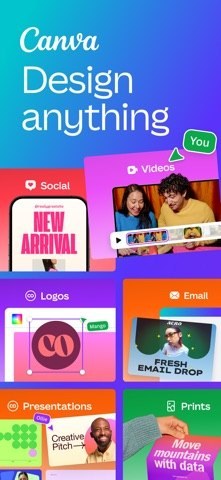
Canva comes from Australia and is an online design platform with a massive global user base. Its starting point is straightforward: professional design software has too high a barrier to entry, whereas most people simply want to quickly produce a usable graphic—a poster, cover image, PPT, or resume—without first having to learn a complex software tool.
Its positioning is "design's gateway for the masses": simplifying professional operations into drag-and-drop editing so people without a design background can quickly create graphics, while also saving those with design skills from repetitive labor so they can focus on creativity itself. More importantly, it turns "design" from a solo craft into a collaborative, reusable workflow: templates can be reused, assets shared, and brand elements accumulated, allowing everyone on a team to produce graphics under unified visual guidelines.
2. Core Features
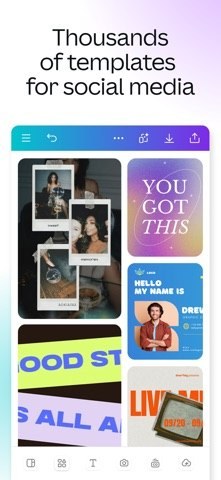
The platform provides a huge collection of ready-made templates for posters, presentations, social media graphics, resumes, and videos—just drag, drop, and replace text and images to finish a design. Its template library covers a comprehensive range of scenarios, with ready-made layouts for common needs such as holidays, recruitment, and promotions. For time-pressed operations and marketing staff, starting with a template and fine-tuning is much faster than starting from a blank canvas and makes it easier to maintain a baseline of visual quality.
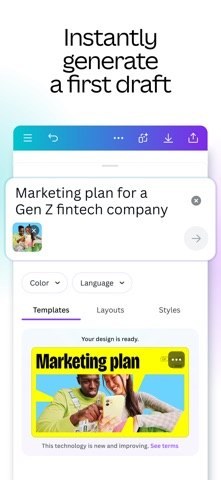
Built-in AI features include text-to-image, background removal, image expansion, and AI copy generation; it also supports real-time multi-user collaboration and brand asset library management. Designs can be shared online, exported in multiple formats, or ordered directly for print.
3. How It Compares to Peers
Compared with professional design software, Canva stands out for being "fast" and "good enough": going from opening a template to exporting a finished graphic often takes just a few minutes, with zero learning curve for changing text and images. Compared with single-purpose AI tools that only handle one step, it stands out for being "complete": templates, AI generation, collaboration, export, and printing cover the entire workflow.
The trade-off is fine-grained control: when you need pixel-level typography, complex vector editing, or print-grade output, it is less capable than specialized tools like Figma or Photoshop. Its positioning makes it better suited for "getting a usable graphic first," then moving into professional software for detailed refinement as needed.
4. Target Audience and Typical Scenarios
It suits non-design roles that frequently need to produce graphics—such as operations, marketing, and administration—as well as small and medium-sized merchants, independent content creators, and teachers and students making courseware and presentation decks.
Its typical workflow is "template first": pick a close match by scenario, swap in your own text and images, use AI tools to generate a supplementary visual or remove a background, and finally export or share directly. During team collaboration, real-time multi-user editing and brand asset libraries eliminate endless back-and-forth requests for "send me the latest version."
5. Access and Pricing
In terms of access, Canva's official website is directly accessible in mainland China, and domestic users can also use its China site.
Pricing follows a freemium model: the free tier includes a large selection of templates and basic features, while paid tiers unlock the premium asset library, brand tools, and higher AI quotas—please check the official website for exact details.
Tools mentioned
Sources
This article is compiled from the public sources above and does not reproduce the originals in full; see the official sources for details.