How to Choose an AI Video Generation Tool: A Comparison of Kling, Jimeng, Hailuo, Vidu, and Runway

1. Conclusions First
Users in China should prioritize choosing among four domestic tools: Kling (Kuaishou), Jimeng (CapCut team), Hailuo (MiniMax), and Vidu (ShengShu Technology). All four are directly accessible and operate on a freemium model—use the free quota to test output quality first before deciding which one to pay for.
If you work on professional film or commercial post-production, Runway's integrated generation-plus-editing ecosystem is still worth considering, at the cost of requiring special network access; Sora is no longer an option: OpenAI discontinued the Sora web and app experiences on April 26, 2026, and the API on September 24, 2026, and our hub no longer lists Sora; Pika's distinctive feature lies in special effects such as Pikaffects, making it suitable for creative short clips on social platforms.

2. A Closer Look at the Five Main Tools
Kling (Kuaishou): One of the representative domestic AI video products, with text-to-video and image-to-video as its main capabilities, and camera language and motion performance as its signature strengths. Suitable for short films, advertisements, and proofs of concept with high requirements for visual expressiveness.
Jimeng (CapCut team): An all-in-one AI image and video creation platform whose primary advantage is integration with the CapCut ecosystem—generated assets can go directly into the editing workflow. For short-video creators, "generation—editing—publishing" is completed within a single ecosystem, eliminating transfer overhead.
Hailuo Video (MiniMax): MiniMax's video generation product, lightweight and quick to get started with, suitable for content production that requires rapidly testing multiple creative directions—trialing ideas at low cost first, then refining the selected option.
Vidu (ShengShu Technology): Known for reference-to-video generation, its hallmark is using reference images to control character and visual consistency, making it suitable for serialized content production with fixed characters and a consistent style.
Runway: A representative overseas AI video tool that offers systematic video editing capabilities beyond generation, supported by a mature ecosystem of professional creators; accessing it in China requires special network access, and it uses a freemium model.

3. Matching Tools to Scenarios
For short videos and independent media: Prioritize Jimeng and edit directly in CapCut after generation; when you want certain shots to stand out more visually, use Kling to generate key clips.
For advertising and e-commerce assets: Kling and Vidu are more suitable—the former offers strong visual expressiveness, while the latter uses reference images to keep product and character appearances consistent.
For film concepts and storyboard exploration: Both Runway's editing ecosystem and Kling's camera performance are worth trying; choose between the two based on your network access conditions.
For playing with creative effects: Pika's effects like Pikaffects are the quickest to pick up, suitable for fun short clips on social platforms.
4. Access and Pricing Notes
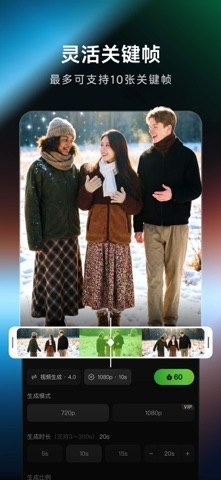
Kling, Jimeng, Hailuo, and Vidu are all directly accessible in China and use a freemium model (with free quotas, and paid tiers to unlock higher specifications); Runway requires special network access, and Pika's access and pricing are subject to its official website. Sora is no longer listed: it was discontinued in 2026, and our hub no longer lists it.
Billing methods for AI video vary widely (including pay-per-generation, pay-by-duration, and credit-based systems). Before committing financially, it is recommended to generate once in two or three tools using the exact same prompt, compare their usable output rates side by side, and then decide which membership to buy.
Tools mentioned





Sources
This article is compiled from the public sources above and does not reproduce the originals in full; see the official sources for details.