Which AI Tools to Use for Logos and Brand Visuals?
A Logo Is a System: Rules First, Materials Second
Before designing a logo, fix three things: how the brand name is written, which two colors lead, and what style the type follows. With those fixed, business cards, posters, and packaging share one basis. Without rules, every new use case means redesigning from scratch.
Deliver at least: color and single-color versions of the main mark, horizontal and vertical layouts, color values for main and supporting colors, and heading and body typefaces. Keep them on one rules page so anyone making graphics later follows the same system.
Fast Options: Canva, Jimeng, and Ideogram
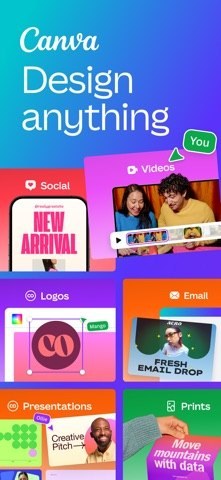
Canva is an online design platform with built-in AI image and copy features, directly accessible in China on a freemium model. It fits fast logo options: enter the brand name and industry, compare several very different directions, then extend the chosen one into cards, posters, and social avatars. Jimeng is an all-in-one AI image and video creation platform from the Jianying team, directly accessible in China on a freemium model. It fits creative directions for the mark itself, such as many takes on an animal, plant, or geometric shape, so you can pick a memorable form to refine.
Ideogram is an AI image generator known for rendering text accurately inside images, suited to posters, logos, and social media design. Wordmarks that carry the brand name come out without garbled or misspelled letters. Check its official site for current pricing and access details.
Refining and Rules: Figma and Meitu
Figma is a collaborative interface design tool with AI features, directly accessible in China on a freemium model. It fits refining and documenting: redraw the chosen mark as vectors, set spacing and minimum sizes, organize colors and type, and output one brand rules page that all later materials follow.
Meitu is a widely used retouching and AI beautification tool in China, directly accessible in China on a freemium model. It fits everyday extensions: event posters, social images, and product photos retouched and captioned in the brand's colors and type, so routine materials come out quickly from templates.
How to Choose: Options First, Rules for the Long Term
For a usable logo fast, start with Canva options plus Ideogram wordmarks; a working visual set can be ready the same day. For a brand built to last, settle the rules in Figma so every later item follows the same system.
For heavy everyday output, hand the finished rules to Meitu for template-based extensions. A logo's value is not how pretty one image looks, but whether the whole visual system stays consistent and recognizable everywhere, and that is what the rules protect.
Tools mentioned


Sources
This article is compiled from the public sources above and does not reproduce the originals in full; see the official sources for details.