Which AI Tool for Interior Design? Five Picks for Renders, Floor Plans, and Styling
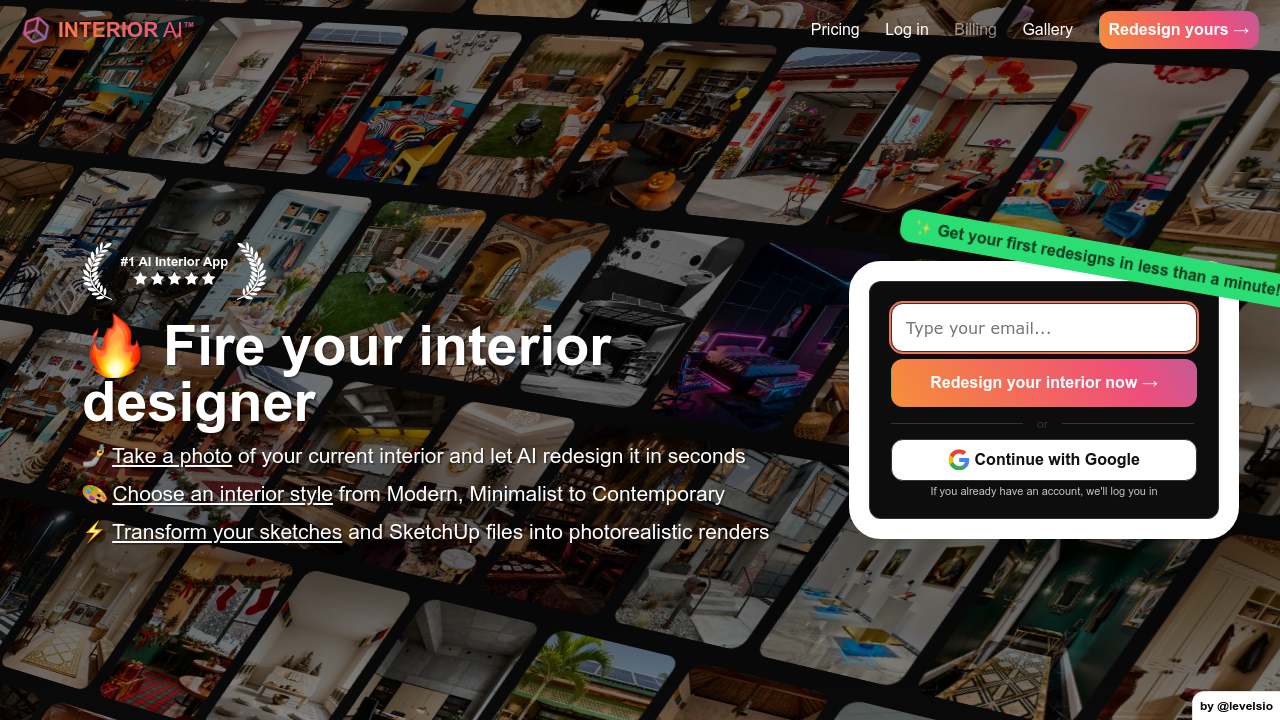
Renders: Interior AI and Virtual Staging AI Serve Different Jobs
Both tools turn empty-room photos into furnished renders, but they serve different jobs. Interior AI, by indie maker Pieter Levels, is a light and fast render tool: upload a room photo, pick a style, and get a realistic remodel render, handy for trying styles again and again while renovating your own home. Virtual Staging AI leans toward real estate: it furnishes and styles empty-room photos automatically, producing show-home images that can go straight to buyers or renters. Both use a paid model in library records and are directly accessible from China; decide first whether the image is for yourself or for someone else.

Floor Plans: Planner 5D Settles Sizes First
Renders alone are not enough: if the sizes are wrong, the furniture will not fit. Planner 5D focuses on floor plans and 3D design, offering AI design generation and floor plan recognition: draw the plan, fix the sizes, then walk through the home in 3D, as if touring the new place on your phone before work starts. It suits people renovating, moving, or redoing a single room, especially owners who want the layout clear in their own mind before talking to a designer or contractor. Its pricing is unlisted in library records, so check the official site; it is directly accessible from China.

Styling and Finished Visuals: Canva Makes the Lists, Jimeng Makes the Images
The styling stage needs plenty of inspiration images and visuals that can be handed over. Canva is an online design platform whose templates cover posters, slides, and social graphics; furnishing lists, color boards, and inspiration collages can be built by dragging onto a template, with real-time collaboration so family members can pick together without passing files back and forth. Jimeng, from the CapCut team, is an AI image and video platform: type a description in Chinese and get images, handy for comparing several style drafts before buying anything. Both use a freemium model and are directly accessible from China; a practical combo is Jimeng first to settle the direction, then Canva to turn it into lists and finished visuals.
How to Choose: Match the Tool to the Stage
For quick style tests from renders, pick Interior AI; for property showcase images, pick Virtual Staging AI; for floor plans and 3D, pick Planner 5D; for furnishing lists and collages, pick Canva; for Chinese-language image generation and fast style tests, pick Jimeng. Library data note: as of November 23, 2026, the Lumo library holds 2,287 tools, including 153 in design, and these five cover the render, floor-plan, and styling stages. If you already have a designer, these five work better for thinking things through in advance and bringing drawings to the conversation, rather than replacing professional design.
Tools mentioned


Sources
- Interior AI
- Planner 5D
- Virtual Staging AI
- Canva
- jimeng.jianying.com
- lumofyi.com
- lumofyi.com
- lumofyi.com
- lumofyi.com
- lumofyi.com
This article is compiled from the public sources above and does not reproduce the originals in full; see the official sources for details.