Which AI Tool for E-commerce Product Images? Photoroom, Remove.bg, Jimeng, Meitu and Gaoding, Matched to Each Job

Split the job first: four steps, four matches
A product image ready for listing usually goes through four steps: shoot the original photo, cut the product out of its background, place it on a clean or atmospheric background, and polish it into a set sized for the platform. None of the five tools covers all four steps, but each has a step it handles well: Remove.bg removes backgrounds, Photoroom swaps them in bulk, Jimeng generates scene images from text, Meitu polishes, and Gaoding supplies ready-made template sets.
Work in this order: cut out first, swap the background second, polish and apply templates last. A rough cut-out shows through whatever background comes next, and a busy background cannot be saved by careful polishing. Beginners on a tight budget can start with free allowances, get one or two images through the flow, and only then decide whether to pay for bulk capacity.

Photoroom: the bulk background-swapping workhorse
In Lumo's library, Photoroom is positioned for exactly this job: background removal and background generation for e-commerce product images. The workflow is to photograph a product, remove the original background in bulk, then swap in a solid color, a scene, or a background that matches the brand style, producing several hero images at once. That suits stores with many SKUs and weekly new listings. Pricing is freemium: core features can be tried for free, with bulk and advanced features as paid upgrades.
One access note: Lumo's library records Photoroom's direct access from China as unknown, so open its website yourself and confirm it loads normally before building your main flow around it. However handy a tool is, it only helps if it opens and works where you are.

Remove.bg and Jimeng: one cuts clean, the other generates
Remove.bg does one thing: remove an image background in one click. It opens in the browser, is directly accessible from China, and is freemium. It fits as the first step of the flow, cutting products cleanly out of real photos so the next tool can place them on a new background. Single images are fast, but it does not generate backgrounds or lay out sets, so another tool has to pick up after it.
Jimeng is a one-stop AI image and video creation platform from the Jianying team, directly accessible from China and freemium. It sits in the second half of the flow: once a product is cut out, it can generate scene backgrounds and atmosphere images from a text description, or generate hero image material directly. A clean cut-out is what makes a generated image look like a real studio shot; when you want a new season or a new scene, a generation tool like Jimeng is the handier choice.
Meitu and Gaoding: polishing and ready-made sets
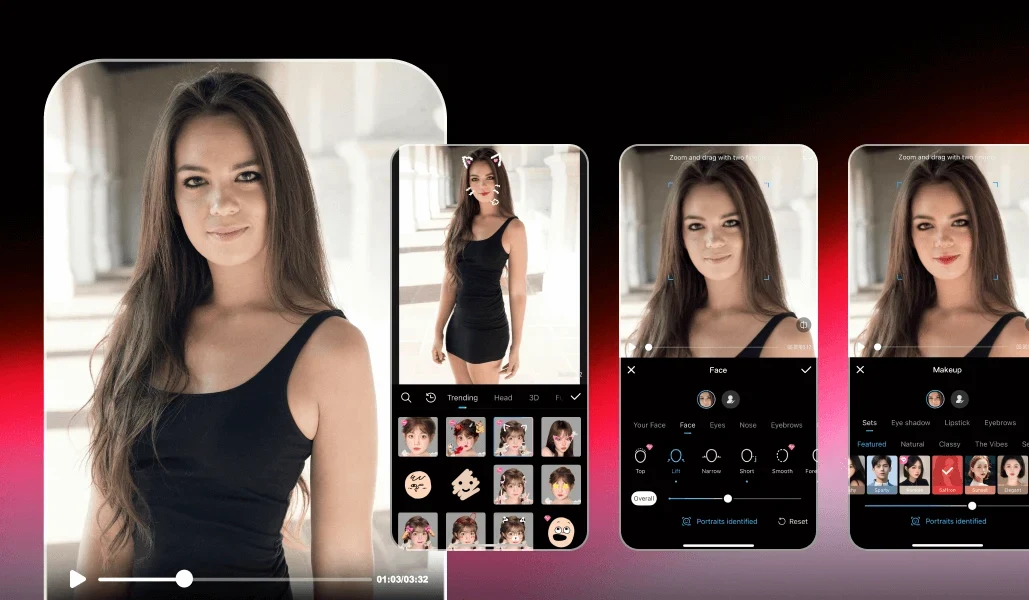
Meitu is a widely used photo retouching and AI beautification tool in China, directly accessible from China and freemium. Its strength is the finishing pass: brightness, color, blemishes and fine details, polishing a hero image whose background is already swapped. It is handy for one or two images at a time; bulk output is not its main direction.
Gaoding is a multi-scenario online commercial design platform offering poster, e-commerce image and PPT templates plus AI background removal, directly accessible from China, with pricing as listed on its official website. Its approach is template sets: hero images, detail pages and promo posters in one visual system, ready after swapping text and images, which suits sellers who want a consistent store look. Its official app is on the App Store, free to download with in-app purchases, and its store description states that AI product hero images can generate multiple scenes in one click (checked November 15, 2026).

One workable combination
Built step by step, one recommended flow is: Remove.bg cuts out first, Photoroom swaps backgrounds in bulk for hero images, Jimeng generates scene images when atmosphere is needed, Meitu polishes at the end, and Gaoding applies templates to ship hero images and detail pages as a set. With few images and a first test in mind, Remove.bg plus Meitu is enough to get through; with many SKUs and weekly listings, bring in Photoroom and Gaoding for bulk and template capacity.
The selection here rests on Lumo's own listing data: as of November 15, 2026, the Lumo hub lists 1,765 tools, including 50 in the image category. All five tools in this article are listed, with Photoroom, Remove.bg and Jimeng in the image category and Meitu and Gaoding in the design category.
Tools mentioned



Sources
This article is compiled from the public sources above and does not reproduce the originals in full; see the official sources for details.