AI Coding for Beginners: Cursor, Trae, and Four Zero-Config Tools to Start With

1. The Verdict First
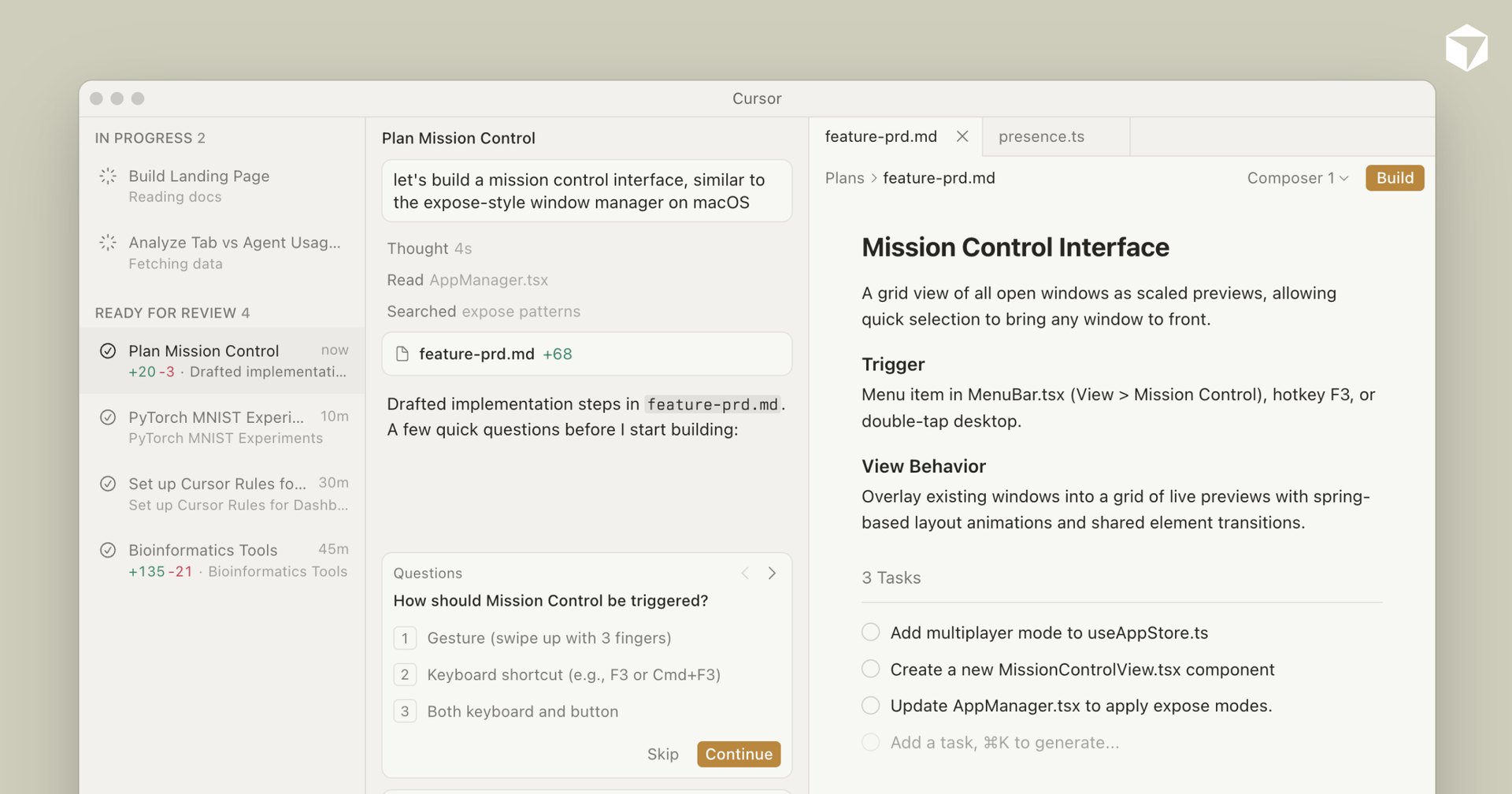
To write code directly in an editor, prioritize Cursor: an AI-first code editor that lets you write and modify code with natural language, with direct domestic access and a freemium model—it is the most direct starting point for beginners approaching coding from 'writing code.'
To quickly create a visible product prototype, prioritize Trae: ByteDance's AI coding tool, suited to rapid product prototyping, with direct domestic access and a freemium model.
To start at zero cost, try Tongyi Lingma: Alibaba Cloud's AI coding assistant, with direct domestic access and free to use.
Already managing code with GitHub? Connect GitHub Copilot: GitHub's AI coding assistant, freemium, with access subject to the official website.
Do not want to touch code yet and only want to first see a runnable web app? Use Lovable: it generates runnable web apps through conversation, freemium, with access subject to the official website.
Only want to build a good-looking frontend interface first? Use v0: Vercel's UI and frontend code generation, freemium, with access subject to the official website.

2. A Look at All Six Tools
Cursor: An AI-first code editor that lets you write and modify code with natural language. Its form is an editor: code is written in the editor, with AI beside you helping with completion, rewriting, and explaining errors. For beginners, its value lies in 'learning as you write': first let AI write the first version, then read it line by line to understand what it wrote.
Trae: ByteDance's AI coding tool, suited to rapid product prototyping. Its selling point is 'speed': starting from an idea, first build a prototype that looks good and is clickable, then gradually fill in the details. For a beginner building a first small product, it saves the most time when validating an idea.
Tongyi Lingma: Alibaba Cloud's AI coding assistant, with direct domestic access and free to use. Its positioning is a coding assistant: lending a hand alongside you as you write code, suited for beginners who want to start at zero cost and first get a feel for AI coding.
GitHub Copilot: GitHub's AI coding assistant, freemium, with access subject to the official website. Its home turf is GitHub: code hosting and the AI assistant live in the same place, making it seamless to connect for people already using GitHub to manage code.
Lovable: Generates runnable web apps through conversation. Its form is 'conversation-to-app': describe the web app you want, and AI directly generates a runnable version. Beginners who do not want to learn syntax first and only want to see results gain a clear sense of accomplishment starting with it.
v0: Vercel's UI and frontend code generation tool. Its strength lies in the frontend: describe the interface you want, and AI generates the corresponding UI and frontend code. People who want to build a well-designed page first and then gradually learn the underlying code logic can start with it.

3. Matching Tools to Scenarios
First goal is 'building a usable web app': Prioritize Lovable, which generates runnable web apps through conversation so you see results first; if you want to make the interface look polished first, look at v0 next, as frontend interface and code generation are its strengths.
First goal is 'learning to write code': Prioritize Cursor or Trae. Cursor is an AI-first code editor for writing and modifying code with natural language; Trae is suited for rapid product prototyping. Both offer direct domestic access and a freemium model—start by building a small prototype.
Already writing code and looking for an assistant to lend a hand: Tongyi Lingma is free with direct domestic access, while GitHub Copilot suits developers already using GitHub. First let the assistant help you complete and rewrite code, then read line by line to understand what it wrote.
Not sure which one to start with: Choose first based on 'what you want to see first'—pick Lovable if you want to see a complete app first, pick v0 if you want to see an interface first, and pick Cursor or Trae if you want to write your first line of code first. All six offer usable free quotas, so try each for a while before deciding on your primary tool.
4. Notes on Access and Pricing
Cursor, Trae, and Tongyi Lingma are all directly accessible domestically; access conditions for GitHub Copilot, Lovable, and v0 are subject to their official websites, so confirm availability before formal use.
Regarding pricing, Tongyi Lingma is free; the remaining five all follow a freemium model: use the free tier first to judge whether a tool fits your needs before deciding which one to pay for, with specifics subject to the official websites.
Tools mentioned





Sources
This article is compiled from the public sources above and does not reproduce the originals in full; see the official sources for details.